ニュース Black Ops 6 ゾンビ: Citadelle Des Morts で光線を生成して導く方法

Black Ops 6 ゾンビ: Citadelle Des Morts で光線を生成して導く方法

Jan 20,2025 著者: Samuel

『Call of Duty: Black Ops 6』ゾンビモード:Citadelle Des Morts ビーム誘導ガイド

「コール オブ デューティ: ブラックオプス 6」のゾンビモードのシタデルデスモルツマップのメインイースターエッグミッションは、一連の複雑なステップで構成されています。ドッペガストとの戦いから、パック・ア・パンチ・マシンの起動、そして一連の試練と儀式の完了まで、その手順は指向性モードに慣れているプレイヤーにとっても非常に謎に満ちているかもしれません。

パワーポイントを調整した後、プレイヤーはパラディンのブローチを明らかにするために光線を生成して方向付けるという任務を負います。これはおそらく最初の任務と同じくらい難しい任務です。この目標は光の呪文を取得するための重要なステップですが、初心者にとっては非常に難しいかもしれません。 Citadelle Des Morts で光線を生成して方向付ける方法は次のとおりです。

1. 最初のクリスタルを見つけてビームを誘導します
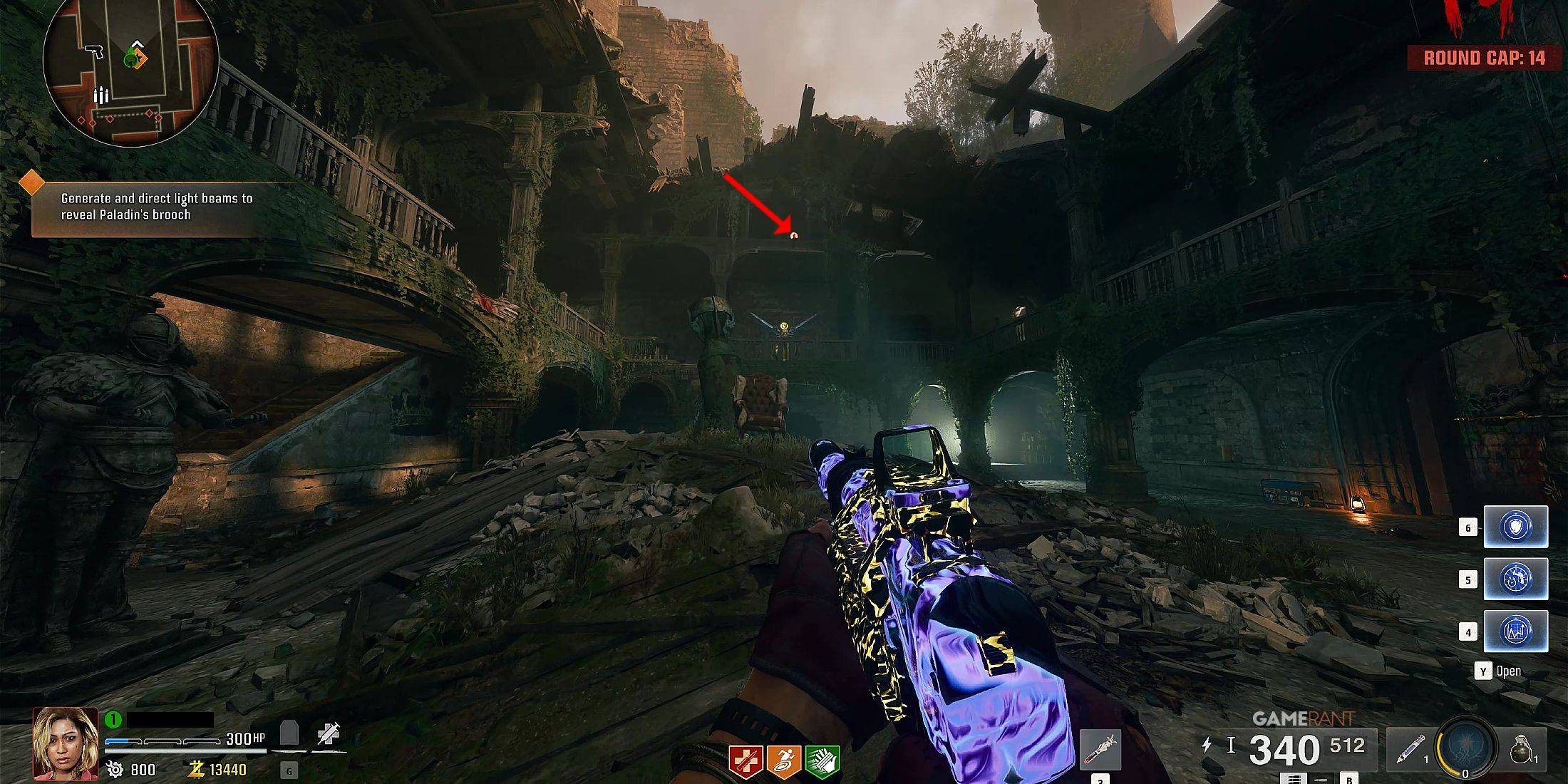
パラディンのブローチを明らかにするためにビームを生成して方向付けるには、プレイヤーはレストランに向かい、ハゲワシ救援ステーションのすぐ上にある北を見る必要があります。ここでは、プレイヤーは北の壁に取り付けられたクリスタルを撃ち、レストランのエントランスホールの上にある別のクリスタルにビームを反射する必要があります。

プレイヤーは、最初のクリスタルの真正面に立ち、クリスタルの底部を撃ってビームを下に反射させることでこれを達成できます。次に、レストランの東側の 2 階に行き、もう一度鏡を撃ち、ビームを左側に反射させなければなりません。正しく行えば、ビームは 2 番目の結晶に当たり、より明るくなるはずです。

2. 2 番目のクリスタルのビームを誘導します
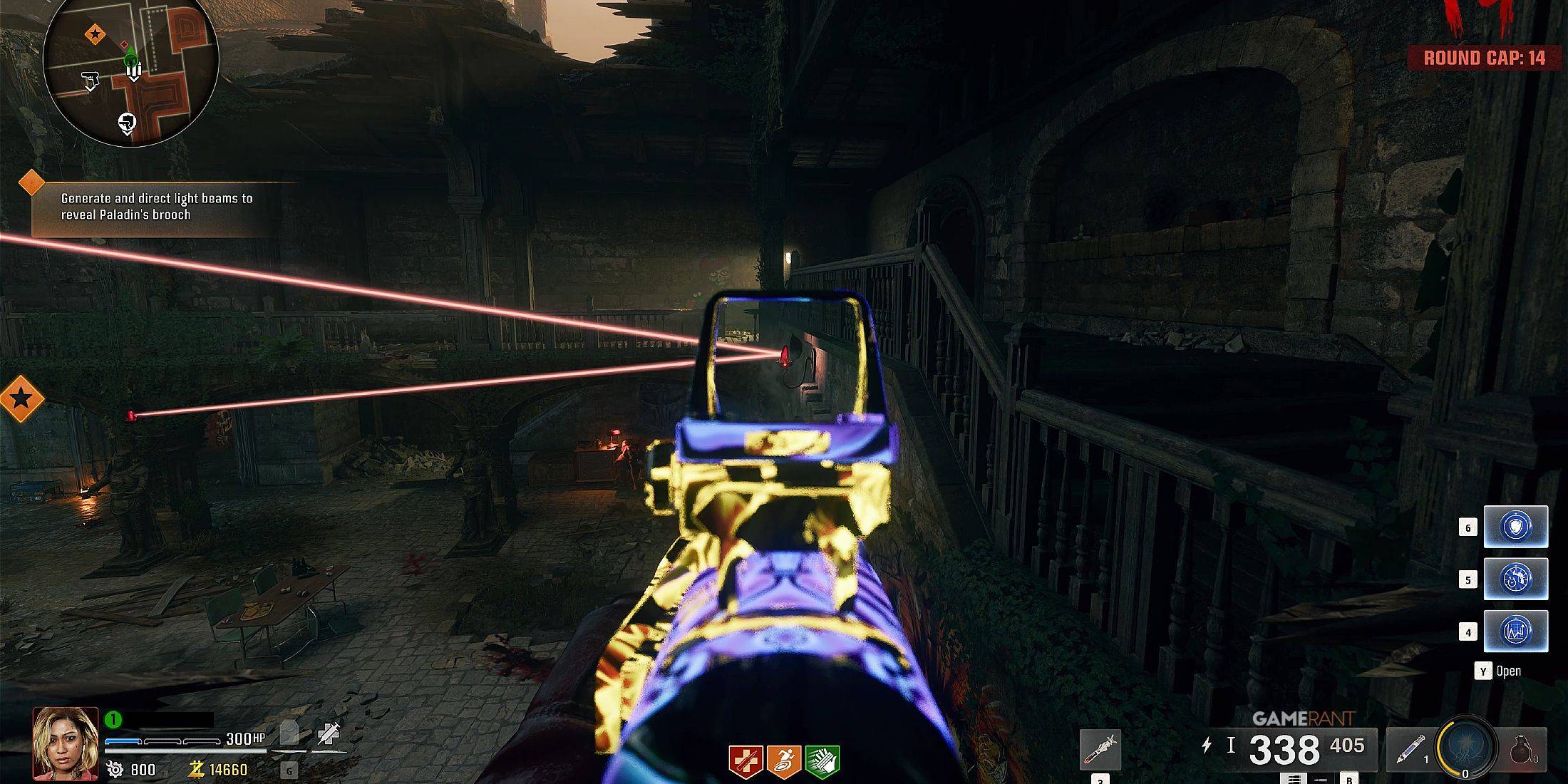
ビームが 2 番目のクリスタルに反射されたので、プレイヤーはパラディン ナイトの真上にある別のクリスタルにビームを向ける必要があります。これは、レストランの 2 階の南西の角に向かい、クリスタルの底部を撃ち、ビームを 3 番目のクリスタルに反射させることで実行できます。

3. 3番目のクリスタルのビームを誘導します

次に、プレイヤーは錬金術実験室内で 3 番目のクリスタルからのビームを別のクリスタルに反射する必要があります。これは、レストランの北側に移動してクリスタルに面し、その基部を撃って錬金術研究所に導くことで実行できます。

4. 4番目のクリスタルのビームを誘導します
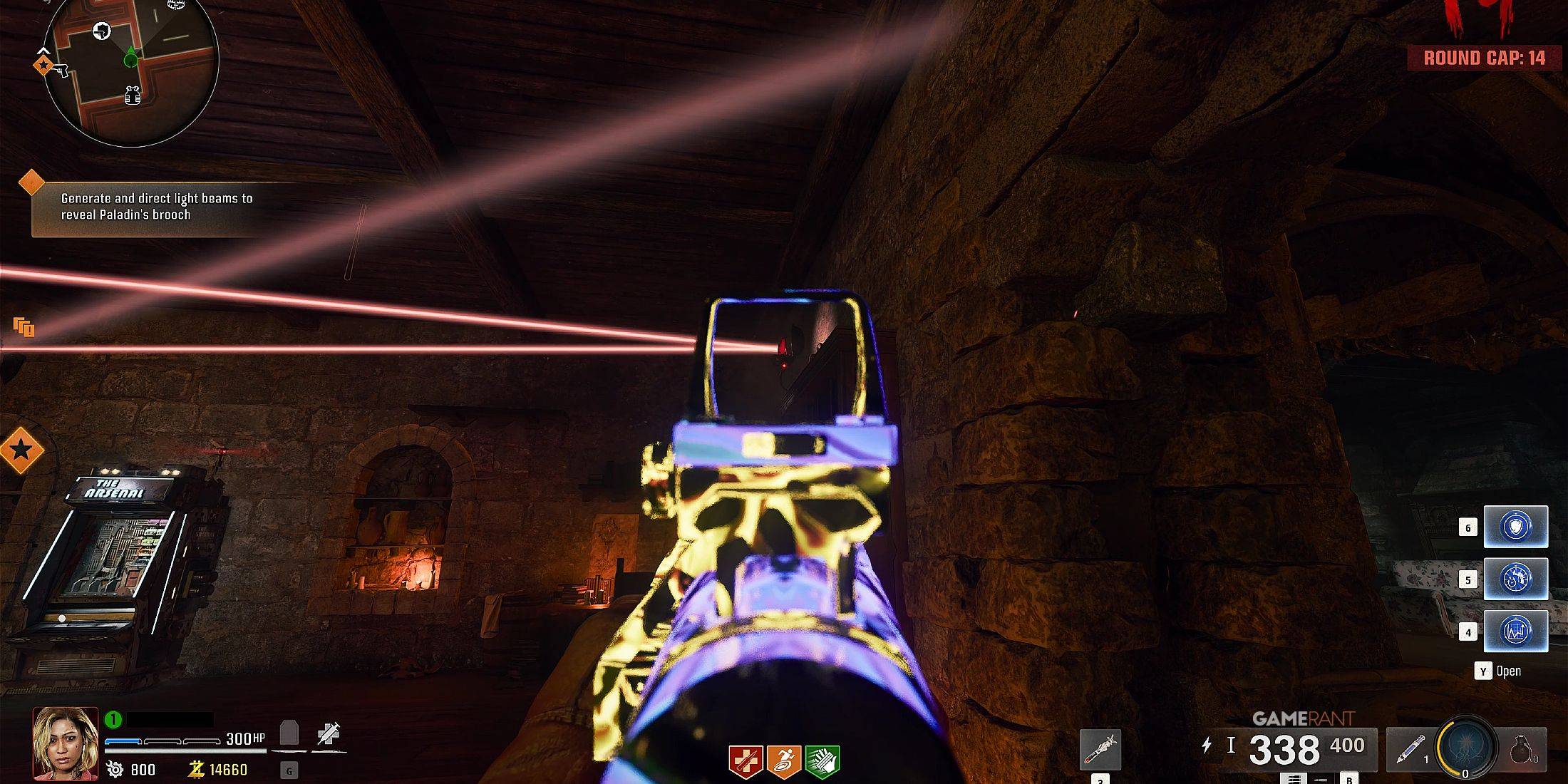
ビームが錬金術研究所に反射されたので、プレイヤーは同じ部屋にある武器庫作業台の真上にある別のクリスタルにビームを向ける必要があります。これは、部屋の出口(4 番目のクリスタルと同じ側)に立って、その基部を撃ち、ビームを次のクリスタルに向け直すことで実行できます。

5. パラディンのブローチを明らかにします

最後のステップは、最後のクリスタルからのビームを錬金術研究所のダイニングルームの入り口の左側にあるテーブルに向けることです。これは、プレイヤーが前のビームを反射するために使用したのと同じエリアの近くに立ち、クリスタルの底部を撃ってテーブル上にリダイレクトすることで実行できます。そうすることで、テーブル上にパラディンのブローチが表示され、プレイヤーがそれを拾えるようになり、レストラン内で光の儀式を開始するという次の目標に進むことができるようになります。

最新記事

13

2026-03

ダズリー・ストーリーズ:アンバーの秘密が、高価な宝石をテーマにした新作Androidパズルゲームに

https://img.hroop.com/uploads/29/68435748248b7.webp

GEODE、フランスのゲームスタジオが、本当に魅了する世界を創り上げました。彼らのゲームは、きらびやかな宝石に焦点を当てています。『Dazzly: Colore per Numero』と『Dazzly Match – Diamond Sort』に続き、Dazzlyシリーズの第3作目として『Dazzly Stories: Ambre’s Secret』が公開されました。 同社の特徴的なスタイルに忠実に、『Dazzly Stories: Ambre’s Secret』は貴重な石をテーマとしていますが

著者: Samuel読む:1

11

2026-03

As of now, Microsoft has officially shut down the Xbox and Windows Movies & TV Store for digital purchases. The shutdown occurred on April 1, 2024, as part of a broader shift in Microsoft’s digital entertainment strategy. Key Details: End of Service: The Xbox and Windows Movies & TV Store (formerly known as the Microsoft Movies & TV Store) no longer accepts new purchases. Existing Purchases: Users who already bought movies and TV shows through the store can still watch them via the Xbox or Microsoft Movies & TV app, as long as their account remains active and content isn’t removed due to licensing changes. No New Purchases: You can no longer buy or rent new digital movies or TV shows through the store. Migration to Other Platforms: Microsoft has redirected users to third-party platforms such as: Amazon Prime Video Apple TV (Apple TV app) Vudu YouTube HBO Max Netflix Disney+ These platforms now offer a more robust selection of digital content. What You Should Do: Check Your Library: Use the Microsoft Movies & TV app or the Xbox app to access any content you’ve already purchased. Download for Offline Viewing: If you plan to watch content without an internet connection, download it before it’s removed (though availability depends on licensing). Explore Alternatives: Consider subscribing to major streaming services or purchasing from platforms like Amazon or Apple TV to continue accessing new movies and shows. Why This Happened: Microsoft cited the shift toward subscription-based streaming services and the high cost of maintaining a standalone digital storefront as reasons for closing the service. The company is focusing on integrating with major platforms and enhancing its cloud and gaming ecosystem (e.g., Xbox Game Pass, Microsoft 365, and Azure). For the latest information, visit: Microsoft Support – Xbox Movies & TV Store Microsoft’s Official Announcements on Store Closure ⚠️ Note: This closure does not affect Xbox Game Pass, Xbox console functionality, or physical media (like Blu-ray discs). It only impacts digital purchases via the now-defunct store. If you’re a longtime user, this change marks a major shift—so take a moment to secure your digital library before it’s too late.

Microsoft’s sudden discontinuation of digital movie and TV show purchases across Xbox and Windows devices — effective July 18, 2025 — marks a major shift in how consumers access entertainment on Microsoft platforms. The move, which caught users and i

著者: Samuel読む:2

08

2026-03

フールアウト2 シーズン2 ティザーで新ラスベガスが登場

The new Fallout Season 2 teaser offers more than just a nostalgic nod to fans of Fallout: New Vegas—it confirms several key details about how the show is interpreting the iconic post-apocalyptic city, while also hinting at deeper storytelling and wor

著者: Samuel読む:5