ニュース Roblox: 無題の鬼ごっこゲーム コード (2025 年 1 月)

Roblox: 無題の鬼ごっこゲーム コード (2025 年 1 月)

Jan 20,2025 著者: Lily

「Untitled Tag Game」で大量の報酬をアンロック: 最新の引き換えコードとその使用方法

無題の鬼ごっこゲームは、複数のゲームモードを備えた楽しい鬼ごっこシミュレーション ゲームです。ゲームに入ると、すぐに他の Roblox プレイヤーでいっぱいのアリーナに行くことになります。ゲーム モードとキャラクターに応じて、彼らを追い詰めるか、逃げる準備をしておく必要があります。

ゲームでは、ゲーム通貨であるゴールド コインを獲得でき、それを使ってさまざまな装飾アイテムを購入して、周りから目立つことができます。 「Untitled Tag Game」引き換えコードを引き換えることで、大量の金貨を含む開発者が提供する寛大な報酬を獲得できるため、必要な装飾アイテムを購入するために通貨を貯めるのに多くの時間を費やす必要はありません。

(2025 年 1 月 9 日更新) このガイドは、最新の引き換えコード情報を確実に入手できるように定期的に更新されます。

すべての「Untitled Tag Game」引き換えコード
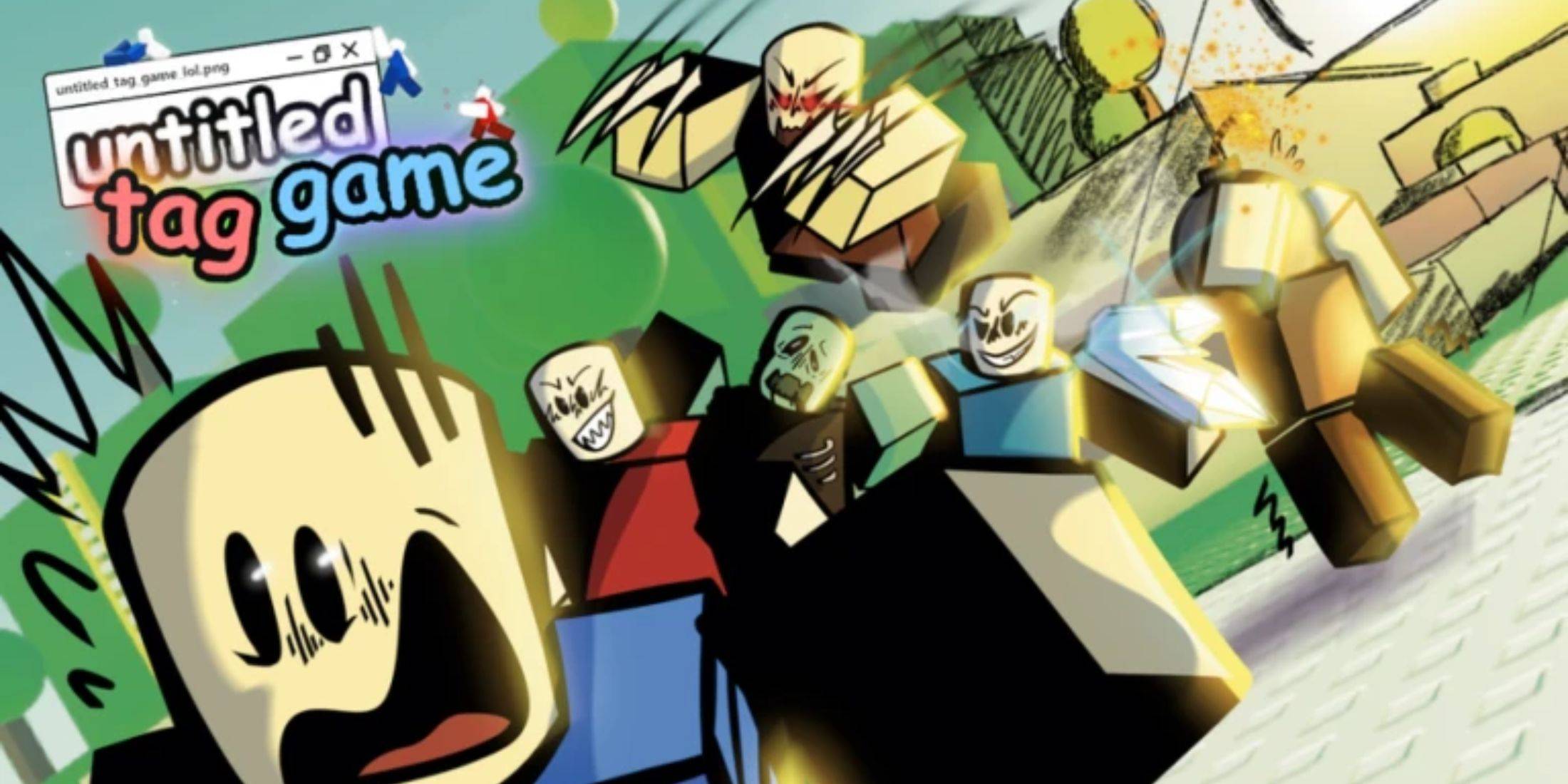
装飾アイテムはゲームで有利にはなりませんが、隠れたくない、追跡者から常に逃げたい場合には、注意を引く素晴らしい方法です。 Untitled Tag Game 引き換えコードを利用すると、ゲームの開始時から素早く簡単に大量の通貨を獲得し、コスチュームやエフェクトの購入をすぐに開始できます。

利用可能な引き換えコード

  • happyholidays - このコードを入力すると、250 ゴールド コインを獲得できます。
  • UPUPDOWNDOWNLEFTRIGHTLEFTRIGHTBASTART - このコードを入力すると、500 ゴールド コインを獲得できます。
  • 100M - このコードを入力すると、500 ゴールド コインを獲得できます。
  • HALLOWSISCOMING - このコードを入力すると、500 ゴールド コインを獲得できます。
  • ZANY - このコードを入力すると、250 ゴールド コインを獲得できます。
  • SEPT2022 - このコードを入力すると、250 ゴールド コインを獲得できます。
  • UTGBOT - このコードを入力すると、250 ゴールド コインを獲得できます。
  • ADDWALLRUNNING - このコードを入力すると、250 ゴールド コインを獲得できます。
  • NICOPATTY - このコードを入力すると、250 ゴールド コインを獲得できます。
  • /E FREE - このコードを入力するとゴールド コイン 100 枚を獲得できます。
  • PERPETUALMOTION - このコードを入力するとゴールド コイン 100 枚を獲得できます。
  • CROWNIES - このコードを入力するとゴールド コイン 100 枚を獲得できます。
  • 8ACE00 - このコードを入力するとゴールド コイン 100 枚を獲得できます。
  • THEOTHERTAG - このコードを入力すると、500 ゴールド コインを獲得できます。
  • bombplushie - このコードを入力すると、500 ゴールド コインを獲得できます。
  • roblox_rtc - このコードを入力すると、500 ゴールド コインを獲得できます。
  • thankyou - このコードを入力すると、500 ゴールド コインを獲得できます。

無効な引き換えコード

  • frog
  • karell
  • SubtoPoliswaggs
  • 4122
  • YOCHAT
  • Murm
  • CodeUpdate!

「タイトルなし鬼ごっこ」の引き換えコードの引き換え方法
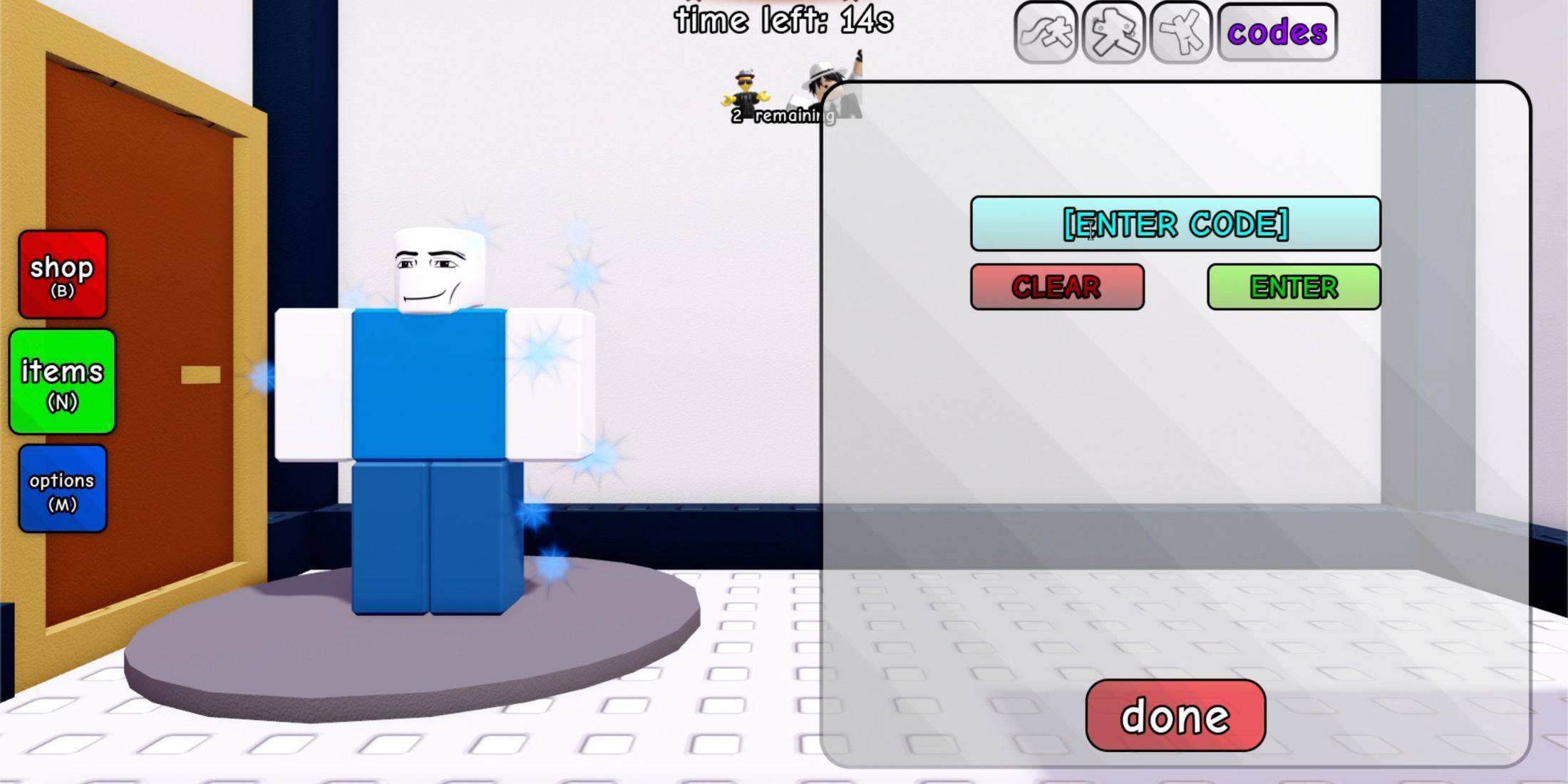
幸いなことに、Untitled Tag Game 引き換えコードの引き換えには、それほど時間と労力はかかりません。ゲームには完了するための制限やチュートリアルがないため、最初から引き換えオプションにアクセスできます。 引き換えコードの引き換え方法がわからない場合、または問題が発生した場合は、次の手順に従ってください:

  1. タイトルのない鬼ごっこゲームを開始します。
  2. 「N」キーを押してインベントリを開きます。
  3. メニューを開くと、左側にキャラクターが表示され、右側に所有および装備できるアイテムのリストが表示されます。さらに、右側のアイテムメニューの上に、「コードを引き換える」というボタンが表示されます。それをクリックしてください。
  4. 引き換えメニューが開きます。メニューには入力ボックスと「Clear」と「Enter」の 2 つのボタンがあります。次に、上記の利用可能な引き換えコードの 1 つを手動で入力するか、(できれば) コピーして入力ボックスに貼り付けます。
  5. 最後に、緑色の「入力」ボタンをクリックして特典リクエストを送信します。

すべてが正しく行われると、入力ボックスの上に「引き換えコードが正常に使用されました!」というプロンプトが表示され、特典が残高に入金されます。

最新記事

11

2026-03

As of now, Microsoft has officially shut down the Xbox and Windows Movies & TV Store for digital purchases. The shutdown occurred on April 1, 2024, as part of a broader shift in Microsoft’s digital entertainment strategy. Key Details: End of Service: The Xbox and Windows Movies & TV Store (formerly known as the Microsoft Movies & TV Store) no longer accepts new purchases. Existing Purchases: Users who already bought movies and TV shows through the store can still watch them via the Xbox or Microsoft Movies & TV app, as long as their account remains active and content isn’t removed due to licensing changes. No New Purchases: You can no longer buy or rent new digital movies or TV shows through the store. Migration to Other Platforms: Microsoft has redirected users to third-party platforms such as: Amazon Prime Video Apple TV (Apple TV app) Vudu YouTube HBO Max Netflix Disney+ These platforms now offer a more robust selection of digital content. What You Should Do: Check Your Library: Use the Microsoft Movies & TV app or the Xbox app to access any content you’ve already purchased. Download for Offline Viewing: If you plan to watch content without an internet connection, download it before it’s removed (though availability depends on licensing). Explore Alternatives: Consider subscribing to major streaming services or purchasing from platforms like Amazon or Apple TV to continue accessing new movies and shows. Why This Happened: Microsoft cited the shift toward subscription-based streaming services and the high cost of maintaining a standalone digital storefront as reasons for closing the service. The company is focusing on integrating with major platforms and enhancing its cloud and gaming ecosystem (e.g., Xbox Game Pass, Microsoft 365, and Azure). For the latest information, visit: Microsoft Support – Xbox Movies & TV Store Microsoft’s Official Announcements on Store Closure ⚠️ Note: This closure does not affect Xbox Game Pass, Xbox console functionality, or physical media (like Blu-ray discs). It only impacts digital purchases via the now-defunct store. If you’re a longtime user, this change marks a major shift—so take a moment to secure your digital library before it’s too late.

Microsoft’s sudden discontinuation of digital movie and TV show purchases across Xbox and Windows devices — effective July 18, 2025 — marks a major shift in how consumers access entertainment on Microsoft platforms. The move, which caught users and i

著者: Lily読む:2

08

2026-03

フールアウト2 シーズン2 ティザーで新ラスベガスが登場

The new Fallout Season 2 teaser offers more than just a nostalgic nod to fans of Fallout: New Vegas—it confirms several key details about how the show is interpreting the iconic post-apocalyptic city, while also hinting at deeper storytelling and wor

著者: Lily読む:5

06

2026-03

看起来你可能刚输入了一段内容,但还没完成。你能否补充一下你想问的问题或表达的内容?我会尽力帮助你! 😊 例如: 你想了解某个话题? 需要写一篇文章或邮件? 有编程、数学、语言方面的问题? 告诉我你的需求,我会好好配合! 🚀

https://img.hroop.com/uploads/06/685674edc494c.webp

Drop Zone Galaxy: A Chaotic, Physics-Powered Adventure Lands on Android From the quirky mind of independent studio Rabble Games, Drop Zone Galaxy has officially launched on the Google Play Store in select regions—the U.S., Canada, the U.K., Australia

著者: Lily読む:3