The *Blast from the Past* event in *The Sims 4* offers players a variety of rewards, but they come with a challenge. One of the tasks that can be particularly tricky is breaking and repairing an object. Here's a detailed guide on how to accomplish this in *The Sims 4*.
How to Find a Broken Object in The Sims 4
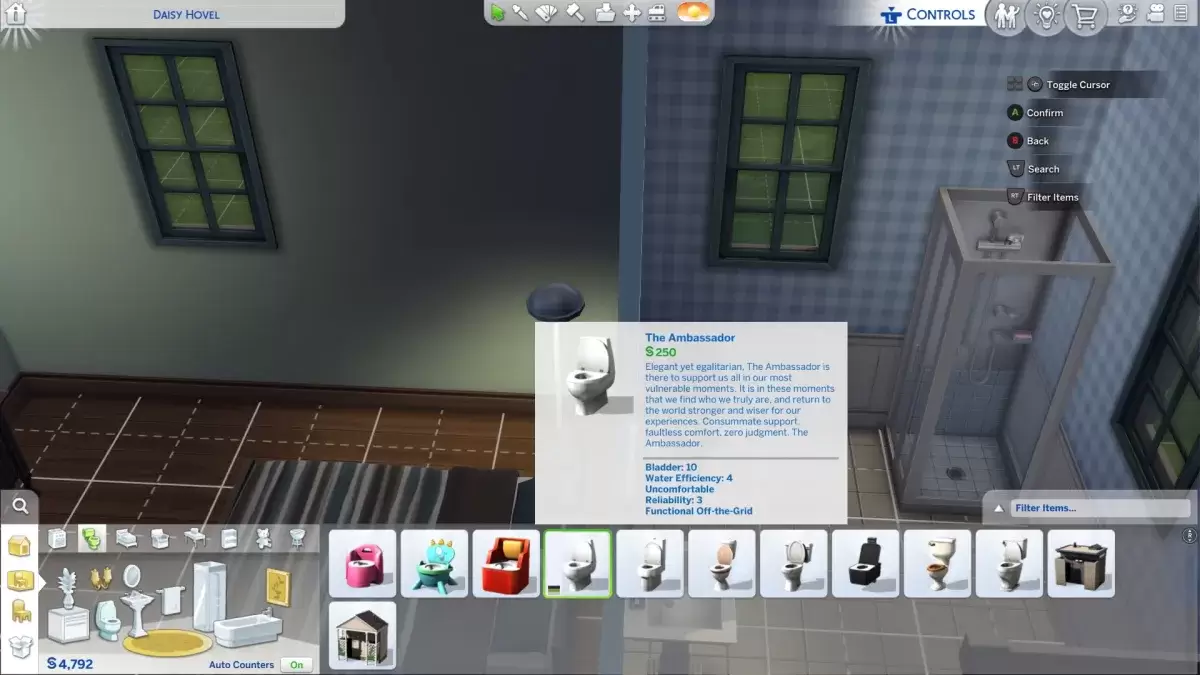
In Week 2 of the *Blast from the Past* event, you're tasked with raising your Handiness skill to level 2 or higher, which is straightforward. However, the subsequent challenge of repairing a broken object can be frustrating due to the lack of clear guidance on finding such an object.
Since there's no way to know if an item is already broken in your game, the best strategy is to break an item yourself. While you could use the "prank" option, this requires a specific Trait that might not be readily available to casual players. A simpler approach is to break an item through repeated use.
The Ambassador toilet is an affordable choice for this task. By installing it in your home and using it repeatedly—about a dozen times—it will eventually break, evidenced by water spraying everywhere. You can either do this yourself or invite other Sims to your home to help. Once the toilet breaks, it becomes a valid broken object for the challenge.
How to Repair a Broken Object in The Sims 4
With your Handiness skill at level 2, you can repair the broken object by selecting the "Repair" option. This process will take a few moments, but once completed, the toilet will stop leaking, and you'll have successfully completed this part of the *Blast from the Past* challenge.
All The Sims 4 Blast From the Past Week 2 Challenges
Repairing a broken object is just one part of the Week 2 challenges in the *Blast from the Past* event. Here's a comprehensive list of all the tasks you need to complete:
Echoes of Time Quests
- Read the History of Time Travel at a Library
- Experience the Past by Playing The Sims Archives vol. 2
- Study a Historical Display at a Museum
- Ask an Elder about the Shard
- Research Shards of Time
- Search Objects for Shards of Time (3)
- Show Emit the Shards of Time
Inventing the Past Quests
- Read Theoretical Electronics at a Library
- Collect Plathinum
- Collect Ironyum
- Repair Something while Handiness Level 2 or Higher
- Exercise Your Mind while Level 2 or Higher in Logic
- Obtain an Electronic Upgrade Part
- Build the Time Travel Component
And that's how you can break and repair a broken object in *The Sims 4* during the *Blast from the Past* event. By following these steps, you'll be well on your way to completing the challenges and earning the rewards.
*The Sims 4* is available now on PlayStation, Xbox, and PC.

 LATEST ARTICLES