Natural Disaster Survival on Roblox offers an exhilarating mix of chance, skill, and situational awareness, where players must navigate through unpredictable natural disasters like tsunamis, tornadoes, acid rain, and earthquakes. The goal is straightforward: survive until the end of the disaster. Yet, achieving consistent success goes beyond mere luck—it demands strategic positioning, swift decision-making, and a thorough understanding of each disaster's dynamics.
Whether you're a beginner or a veteran, these tips will enhance your survival chances and help you secure more victories in Natural Disaster Survival. If you're new to Roblox, don't miss our Beginner’s Guide for a thorough introduction.
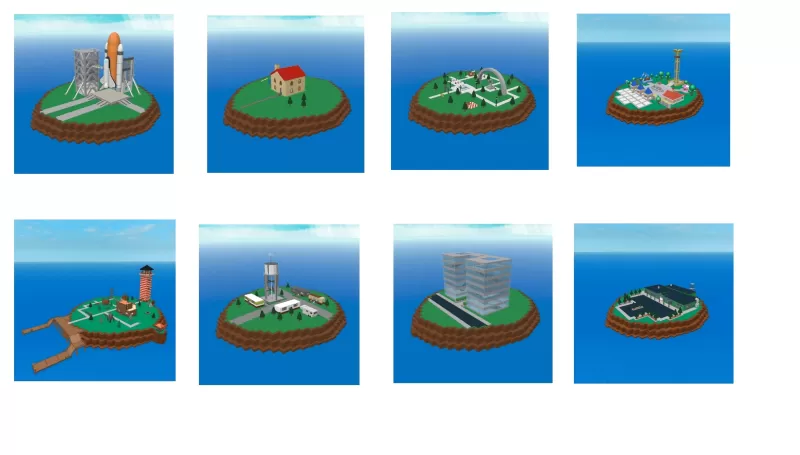
Understand the Map Layout Quickly
Every round starts with a new map, which could feature tall towers, open fields, or multi-story buildings. Use the initial moments to evaluate your environment.
Tips:
- Seek out potential shelters like buildings with roofs and walls.
- Identify high ground to escape floods or tsunamis.
- Avoid standing near the edges of the map, particularly close to the ocean.
Master the Art of Climbing—But Wisely
Disasters such as flash floods and tsunamis often require you to reach high places. However, not all tall structures are safe.
Tips:
- Climb only sturdy buildings with wide bases.
- Avoid overcrowding on a single structure, as this can lead to collapse.
- Position yourself near a ledge for a quick escape if needed.
Watch Other Players’ Actions
If you're unsure where to go, veteran players can provide valuable insights. They often head to optimal spots once the disaster is announced.
Tips:
- Follow players with high survival streaks—they know the best positions.
- Don’t blindly mimic others; what works for them may not work for you based on your current position or map.
Use the Camera Smartly
Your camera is crucial in third-person view, helping you see around corners, track moving threats, and spot collapsing buildings.
Tips:
- Zoom out for a broader field of view during outdoor disasters.
- Zoom in when navigating tight indoor spaces to avoid confusion.
Know When to Retreat
Sometimes, it’s wiser to leave your current shelter than risk staying. If you see signs like cracks, collapsing walls, or approaching fire, evacuate immediately.
Tips:
- Always have a backup plan—a nearby building, open area, or staircase.
- Delaying too long can result in being trapped.
Play on BlueStacks for Maximum Control
Playing on a mobile device can limit your reaction speed and visibility. Using BlueStacks enhances your field of vision, offers faster controls, and ensures smoother gameplay.
Benefits:
- Precise movement with a keyboard.
- Quick camera adjustments for better survival responses.
- No lag or performance issues during fast-moving disasters.
Surviving longer in Natural Disaster Survival requires a combination of preparation, quick thinking, and adaptable strategies. By understanding each disaster, utilizing your environment effectively, and reacting swiftly, you'll consistently improve your survival time. Whether you're evading meteors or escaping rising waters, every second counts. Elevate your gameplay by playing Natural Disaster Survival on BlueStacks to gain the edge needed to outlast any catastrophe.

 LATEST ARTICLES