Descrição do aplicativo
The ideal tool for evaluating the symmetry of eyebrow designs.
Developed specifically for microblading and micropigmentation professionals.
This application is simple to use, requiring just six straightforward steps:
Step 1: Launch the application.
Open the app by tapping the BeautyPro Symmetry App International icon on your device's screen.
Step 2: Align the client's face on screen.
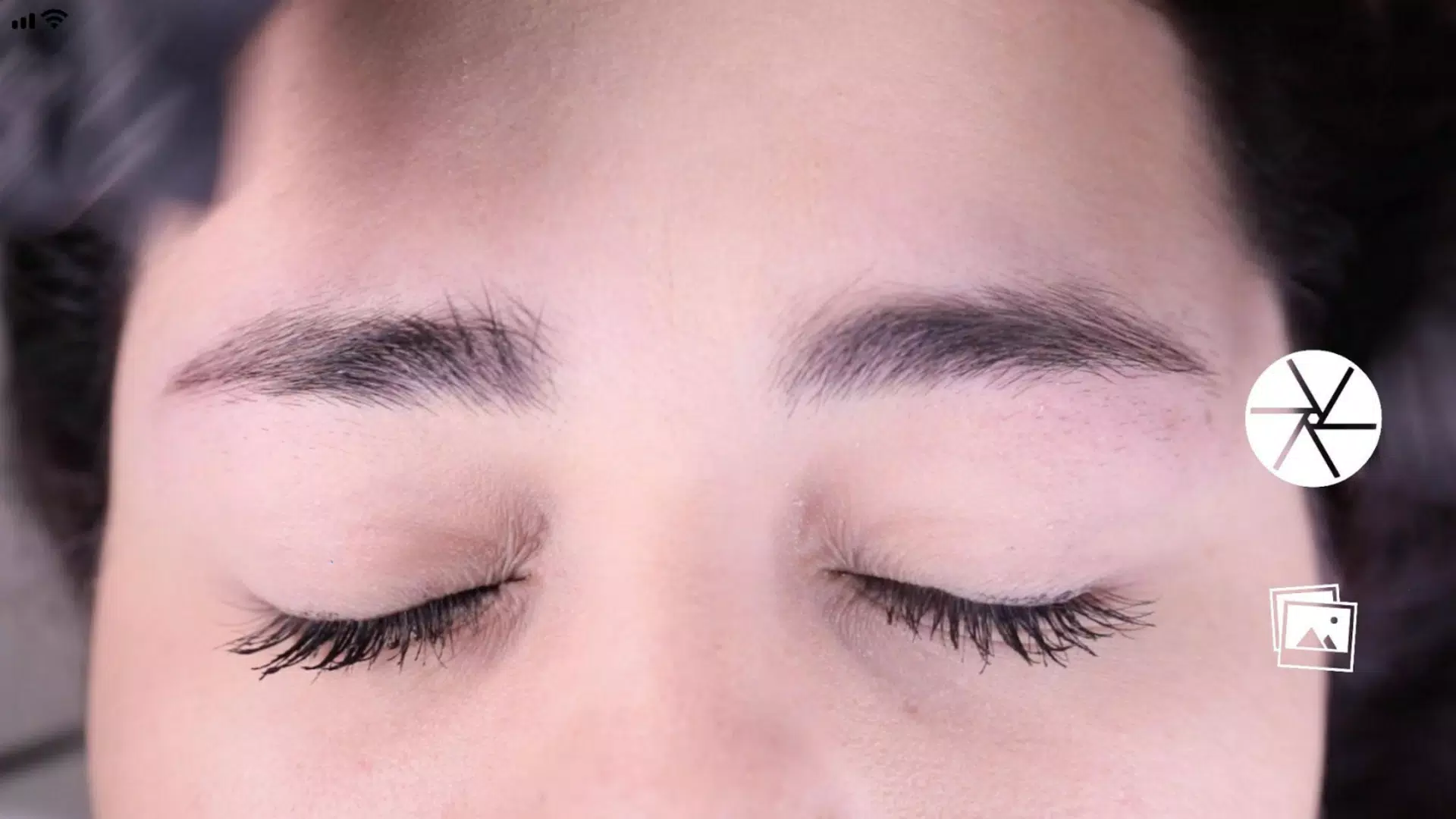
First, hold your phone horizontally and frame the face using the two horizontal lines. Position these lines on the highest arches of the eyebrows (point 2), and align the central vertical line with the previously marked centerline of the nose bridge.
Step 3: Capture the image.
Once the face is centered as described in step 2, take the picture using the button located in the center-right area of the screen.
Step 4: Using the "Grid" function.
Immediately after capturing the image, the photo will appear with four black horizontal lines and one white line. These lines can be adjusted and locked by activating the "Grid" function via its corresponding button.
Step 5: Adjusting the vertical lines.
Similarly, you can adjust the vertical grid lines, which consist of a central red line and two black side lines. The position of the black lines depends on the red vertical line. Position this centerline on the previously marked center of the nose bridge, and use the black lines to define the spacing between the starting points of the eyebrows.
Step 6: Adjust Level and Zoom.
If needed, you can adjust the captured image in two ways: rotate it to level the image by sliding the control on the right side of the screen up or down, or zoom in using a two-finger pinch gesture.
Step 7: Once the lines are correctly positioned at the specified points, you can save the image to your device's photo library by pressing the "SAVE" button. To delete the current image and start over, press the "BACK" button to capture a new picture.
Beleza


 Download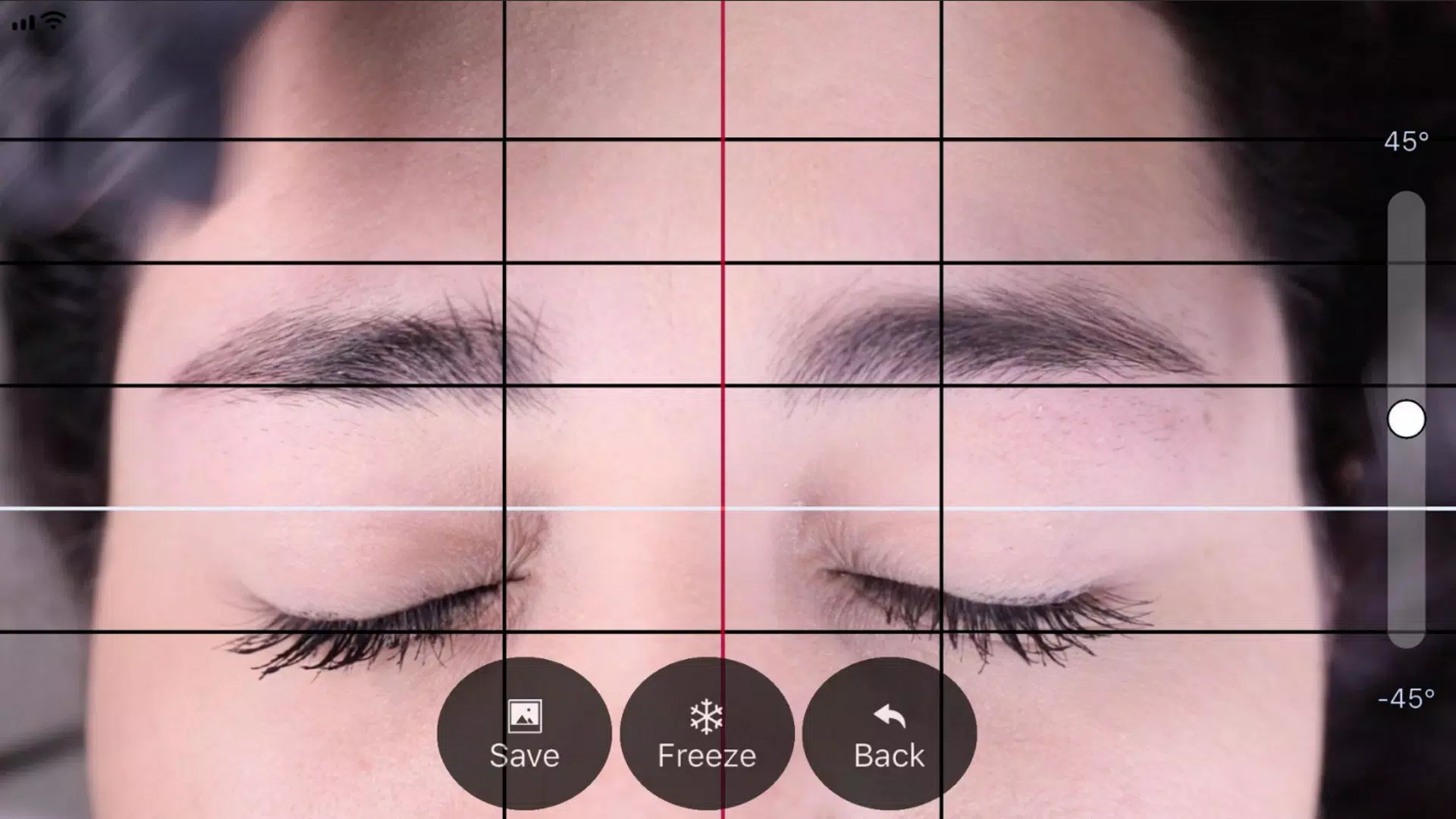
 Aplicativos como BeautyPro Symmetry App Interna