Whenever an exciting new game hits the market, players are eager to dive in and experience it firsthand. However, sometimes technical issues can hinder that excitement. If you're encountering audio problems in the hero shooter *FragPunk*, here's how you can resolve them and get back to enjoying the game.
What To Do If There Is No Sound in FragPunk
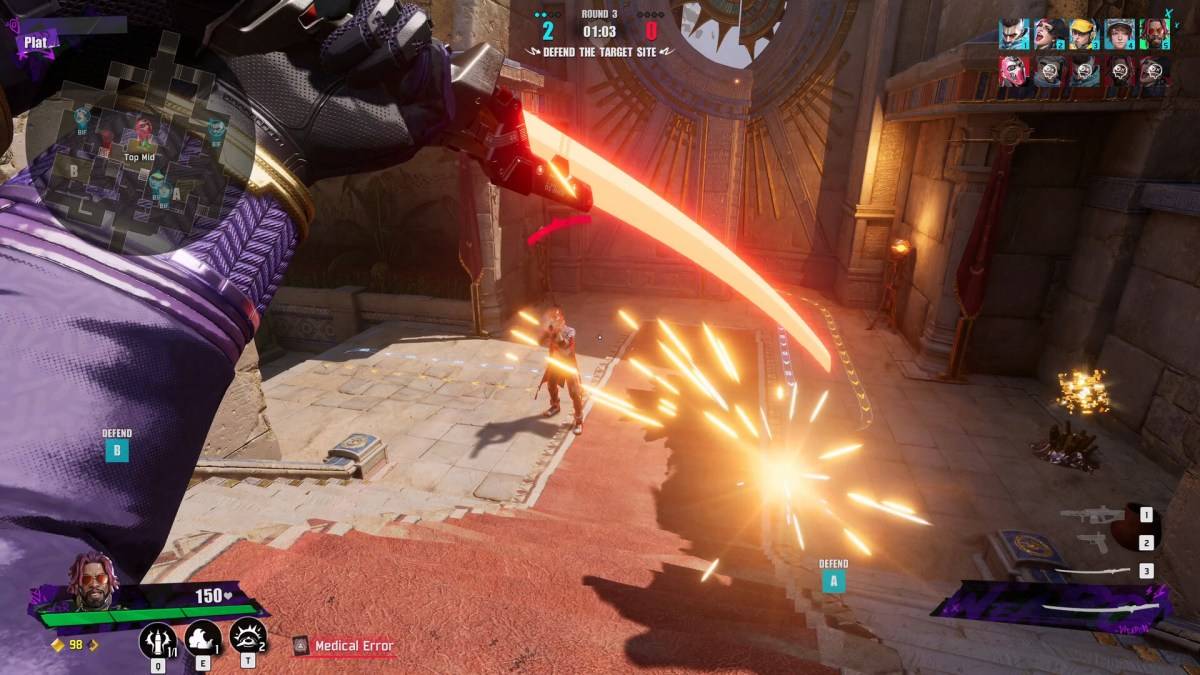
While players on both console and PC were thrilled to explore Bad Guitar Studio's latest multiplayer title, the PlayStation and Xbox versions faced delays right after the PC launch. This has been a source of frustration for many, but PC players can still jump into the game and get acquainted with the various Lancers. Unfortunately, a significant number of gamers are experiencing a critical issue: no audio during matches. In a game like *FragPunk*, where sound cues are essential for gameplay, this can make the experience nearly unplayable. Fortunately, the gaming community has been quick to find solutions.
On Reddit, user Even_Significance581 shared two effective methods to address the audio issue, both of which involve adjusting settings. Here's the first approach:
How To Disable Exclusive Mode for FragPunk
- Right-click the speaker icon on your PC.
- Click on "Sound Settings."
- Navigate to the "Advanced" section and click "More sound settings."
- Right-click on either the speaker or headphones.
- Click "Properties" and navigate to the "Advanced" section.
- Untoggle the "Allow applications to take exclusive control of this device" setting and click "Apply," then "OK."
After completing these steps, relaunch *FragPunk* to check if the audio has returned. If it hasn't, there's another method you can try:
How To Run FragPunk as Administrator
- Right-click on the *FragPunk* shortcut.
- Click on "Properties" and navigate to the "Compatibility" section.
- Select "Run as Administrator."
This method grants *FragPunk* full system access, which can help resolve audio issues. While it may sound intimidating, it's a common fix to enhance performance. If the problem persists, check the game's audio settings to ensure they are set to default. This will help determine if the issue is with the game itself rather than your PC's configuration. If that's the case, it's up to Bad Guitar Studio to address the problem.
And that's how you can fix the audio not working in *FragPunk*. To further optimize your gameplay, be sure to check out The Escapist's guide on the best settings and crosshair codes. For those interested in the voices behind the characters, here are all the *FragPunk* voice actors and where you might recognize them from.
*FragPunk* is currently available on PC, with PlayStation and Xbox releases scheduled for a later date.

 LATEST ARTICLES