Quick Links
Hyper Light Breaker, the eagerly awaited sequel to the indie hit Hyper Light Drifter, brings a fresh twist to the original game's formula. Unlike its predecessor, it's a 3D game that retains its striking visual style. It also shifts from a linear RPG to a rogue-lite with extraction mechanics, and it introduces multiplayer gameplay.
Playing Hyper Light Breaker with friends is not just a feature; it's a core component of the game that enhances the experience, making challenges more manageable and victories more rewarding. This guide will walk you through the steps to play with your friends and how to engage in random online matchmaking.
How To Play Hyper Light Breaker With Friends
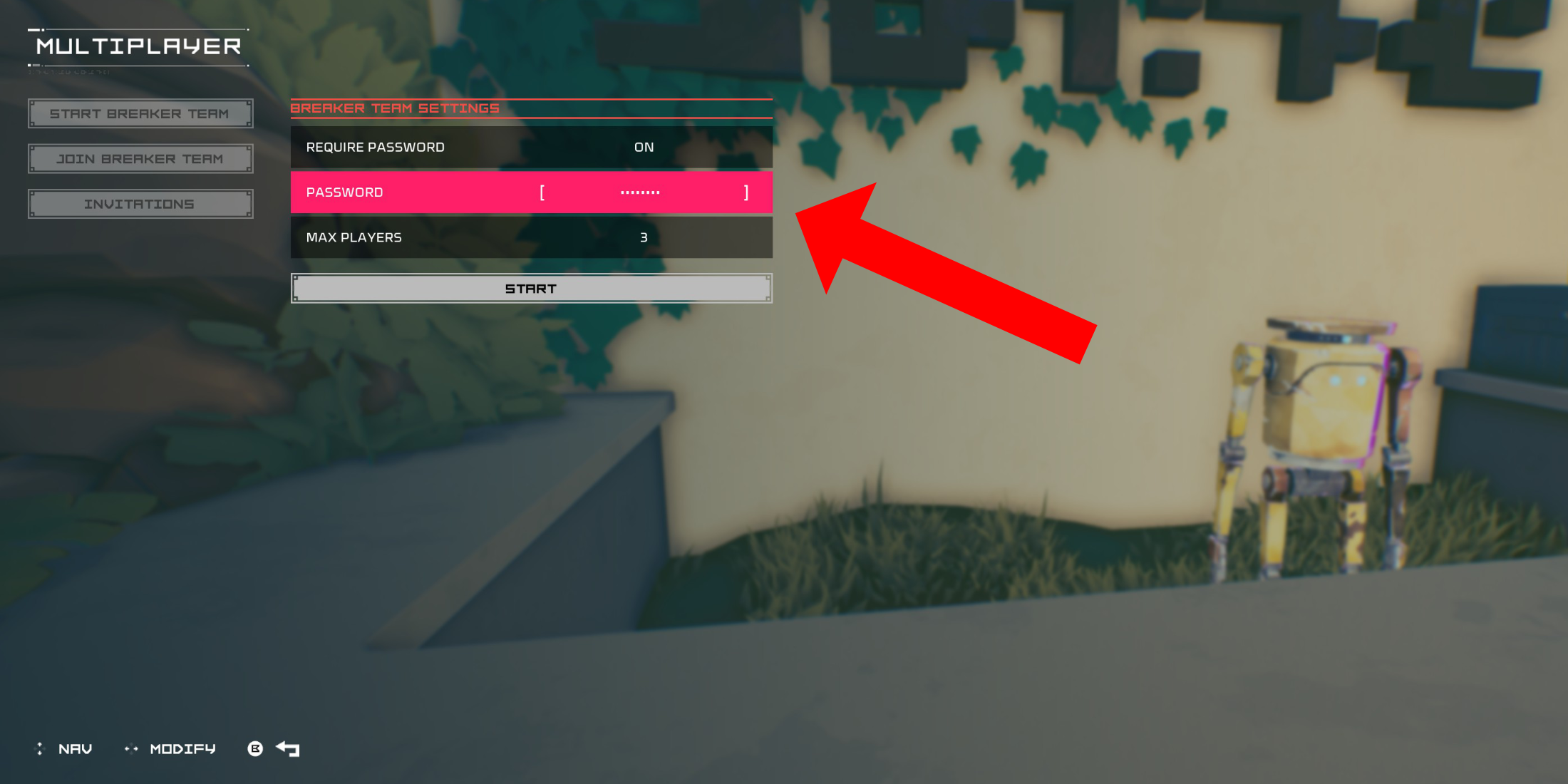 To enjoy Hyper Light Breaker in co-op mode with your friends, you'll need to set up a Private multiplayer room. Once you spawn into the Cursed Outpost, the hub zone of Hyper Light Breaker, locate the counter to the left of your commander, Pherus Bit, who stands just opposite the doorway into the Outpost.
Interact with the counter (usually with R1 or RB) to access the Multiplayer menu. Here, you can create or join a Breaker Team, and view your Invitations. To play with your friends, select "Create Breaker Team".
In the subsequent menu, enable "Password Required" and set a password. After creating your private Breaker Team, invite up to two friends using your platform's social features, whether it's PSN, Xbox, or Steam. The game supports groups of up to three players.
If your friend is already in-game, they'll receive the invitation in the "Invitations" tab of the Multiplayer menu. Otherwise, they can join through the invitation link sent to them.
Your team might also appear in the general list of Breaker Teams with available slots on the "Join Breaker Team" menu. If other methods fail, your friend can search for your team in this list and join your Private group directly.
Once your friend accepts the invite and you share the password, you're all set to dive into co-op runs of Hyper Light Breaker together.
Random Online Matchmaking In Hyper Light Breaker
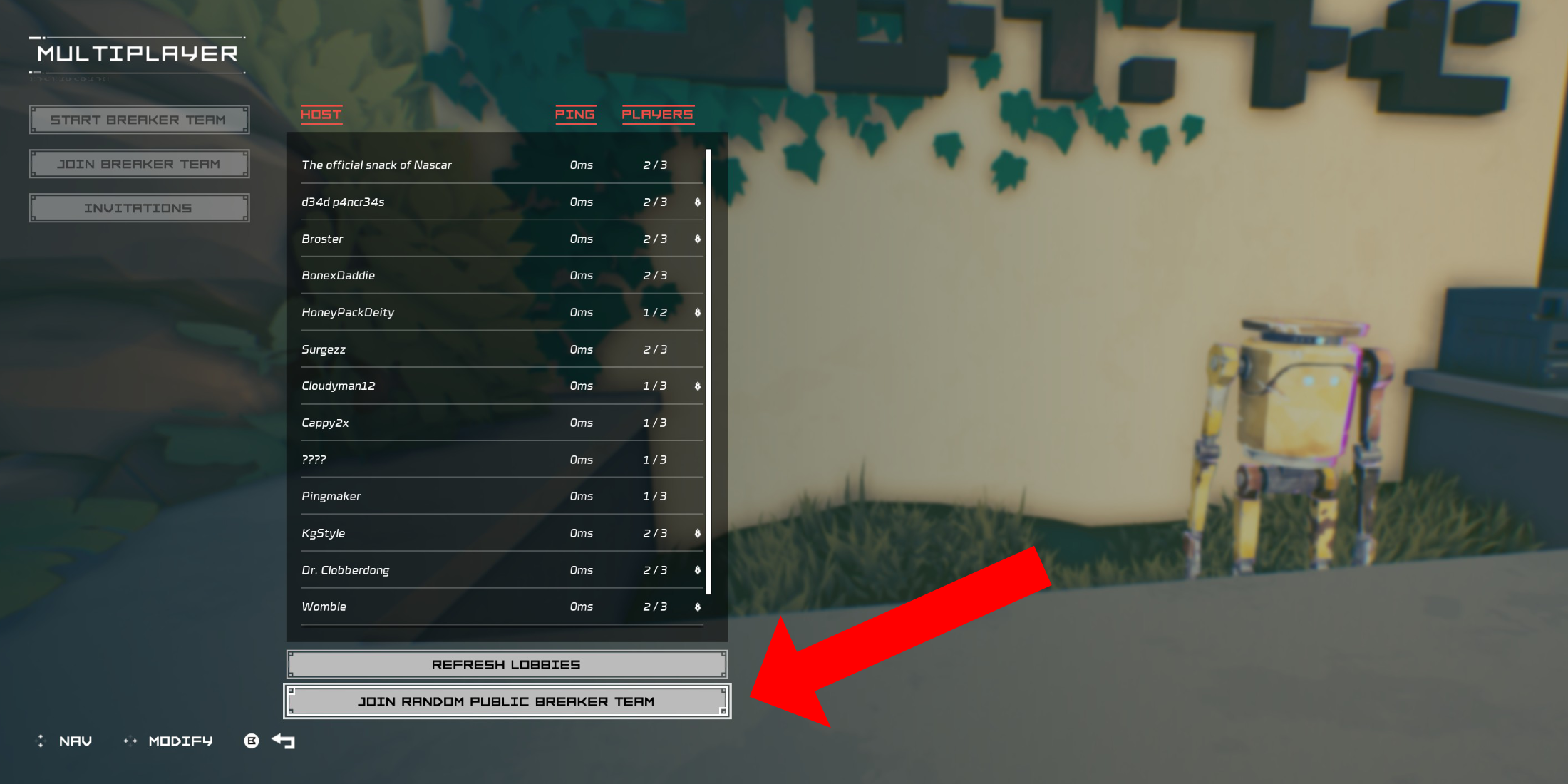 If you're keen on multiplayer but don't have friends who own Hyper Light Breaker, you can still join the fun through public groups. You can either create your own public group by following the same steps as above but omitting the password, or you can join a random group using the game's matchmaking system.
In the Cursed Outpost's multiplayer menu, select "Join Breaker Team", then scroll to the bottom and choose "Join Random Public Breaker Team".
The system will search for available public Breaker Teams without passwords and place you in one if possible. After a brief loading screen, you'll find yourself in the world of the Breaker Team creator.
To leave a multiplayer session, return to the counter in the Cursed Outpost and access the multiplayer menu. If you're currently in a session, you'll see an option to disconnect at the bottom of the list. Selecting this will return you to your own world. Alternatively, you can simply quit the game to end the session.

 LATEST ARTICLES